App Installation
Install Mecaparts PRO from the Shopify App Store, approve access, connect your TecDoc Provider ID and API key, then choose your plan.
Get started in 4 steps
Installation takes a few minutes. Have your TecDoc Provider ID and API key ready before you start: Mecaparts works with your own TecDoc access.
1. Install Mecaparts PRO from the Shopify App Store
Open the Mecaparts PRO page on the Shopify App Store and click Install. You can look at the demo store first to see the vehicle search and fitment in action.
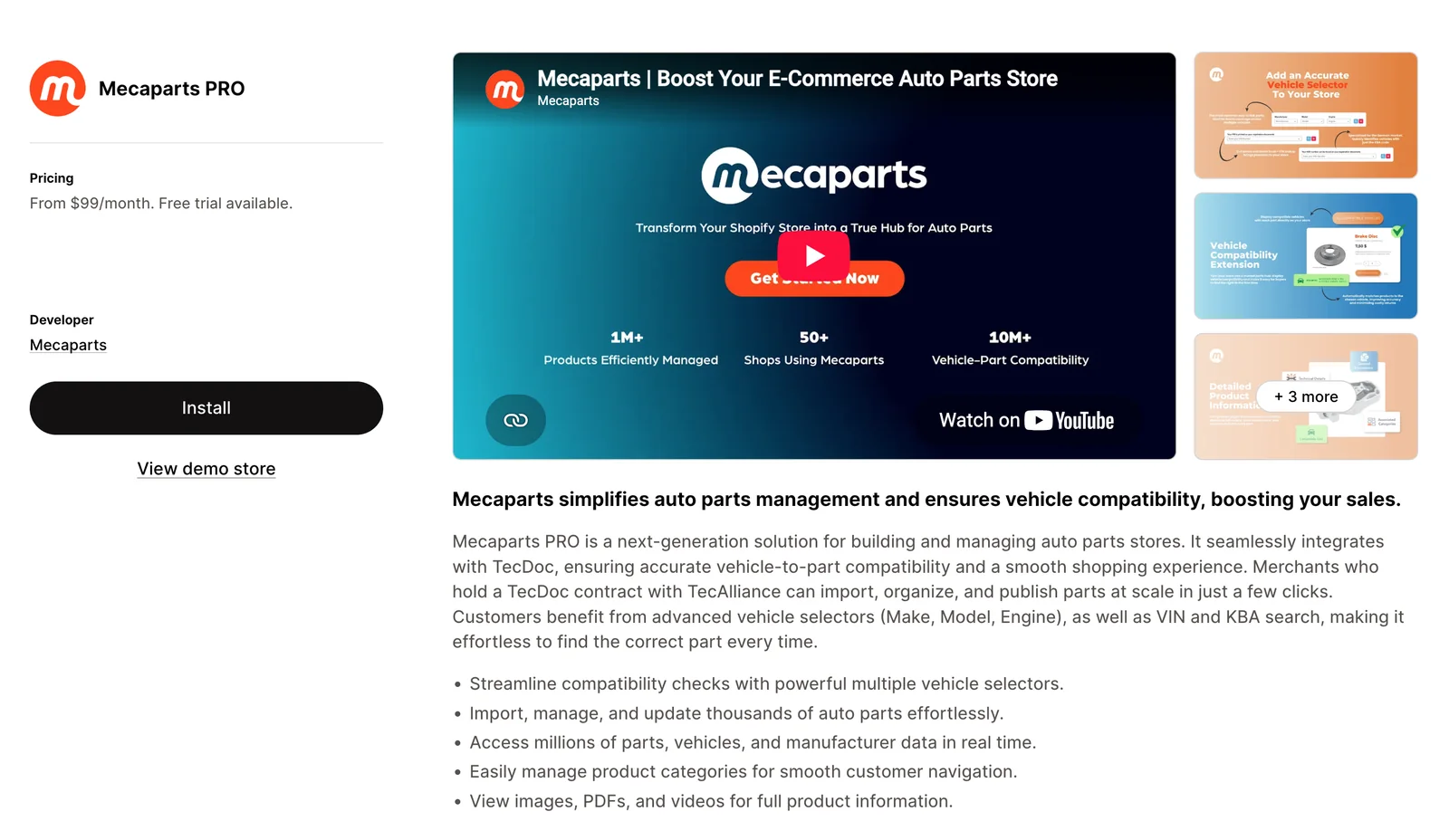
2. Approve access to your store
Shopify shows the access Mecaparts needs. Click Install to confirm.
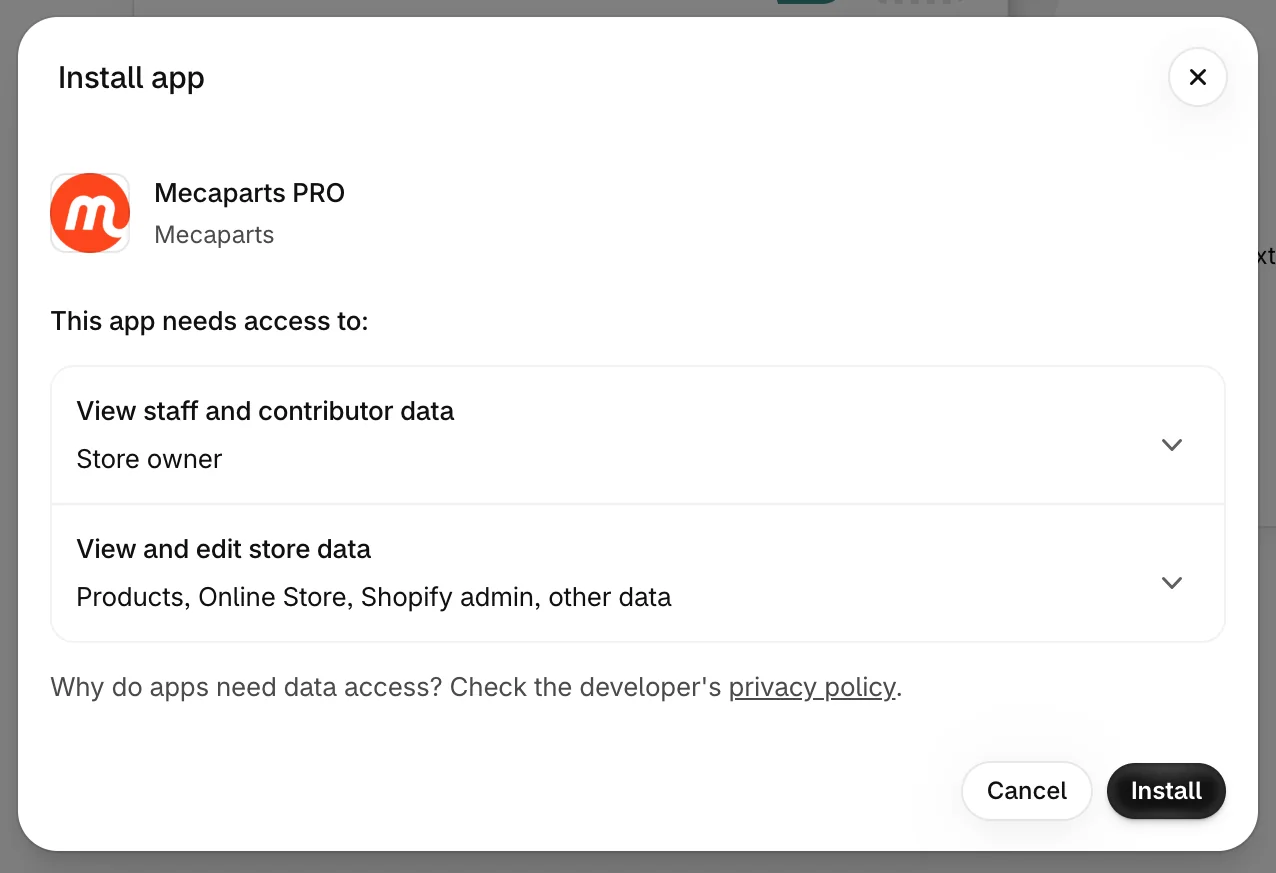
- View staff and contributor data (store owner): to identify the account that installs the app.
- View and edit store data (products, Online Store, Shopify admin, other data): to create and update your products, collections and metafields, and to work with your Online Store theme.
Mecaparts only uses these permissions to manage your catalogue and storefront blocks. Details are in our privacy policy.
3. Connect your TecDoc API
Once installed, the app opens on Connect to TecDoc API.
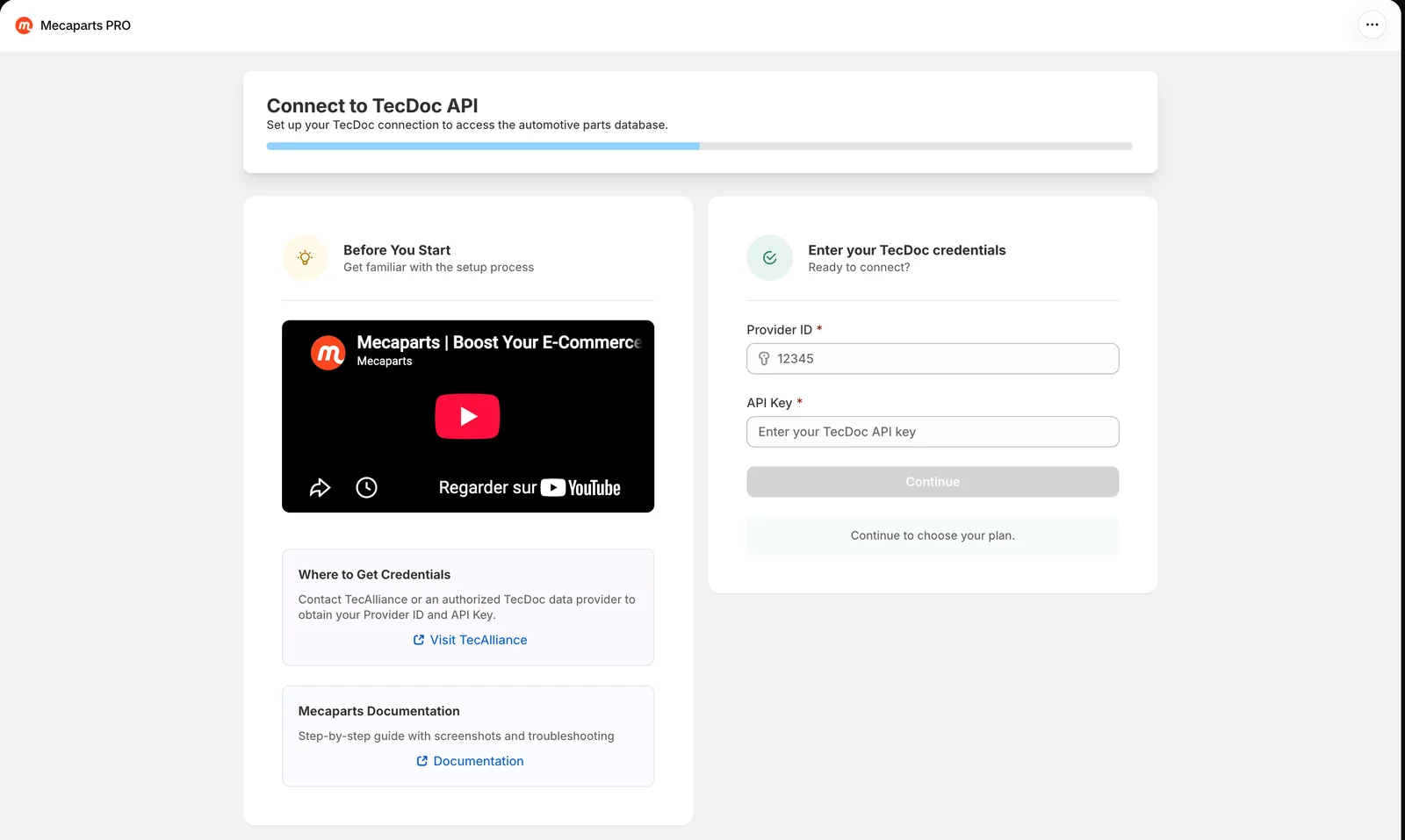
- In Enter your TecDoc credentials, fill in your Provider ID and your API Key.
- Click Continue to move on to the plan choice.
The Before You Start panel on the left has a short video of the setup, a link to TecAlliance and a link to this documentation.
Your Provider ID and API key come from TecAlliance or an authorised TecDoc data provider. Contact them to get your TecDoc access, then come back to this step. Mecaparts does not resell TecDoc data: you keep full control of your own licence.
4. Choose your plan
Pick the plan that matches the size of your catalogue and click Select plan. Every plan includes a 3-day free trial, the full TecDoc integration, smart catalogue management and all features.
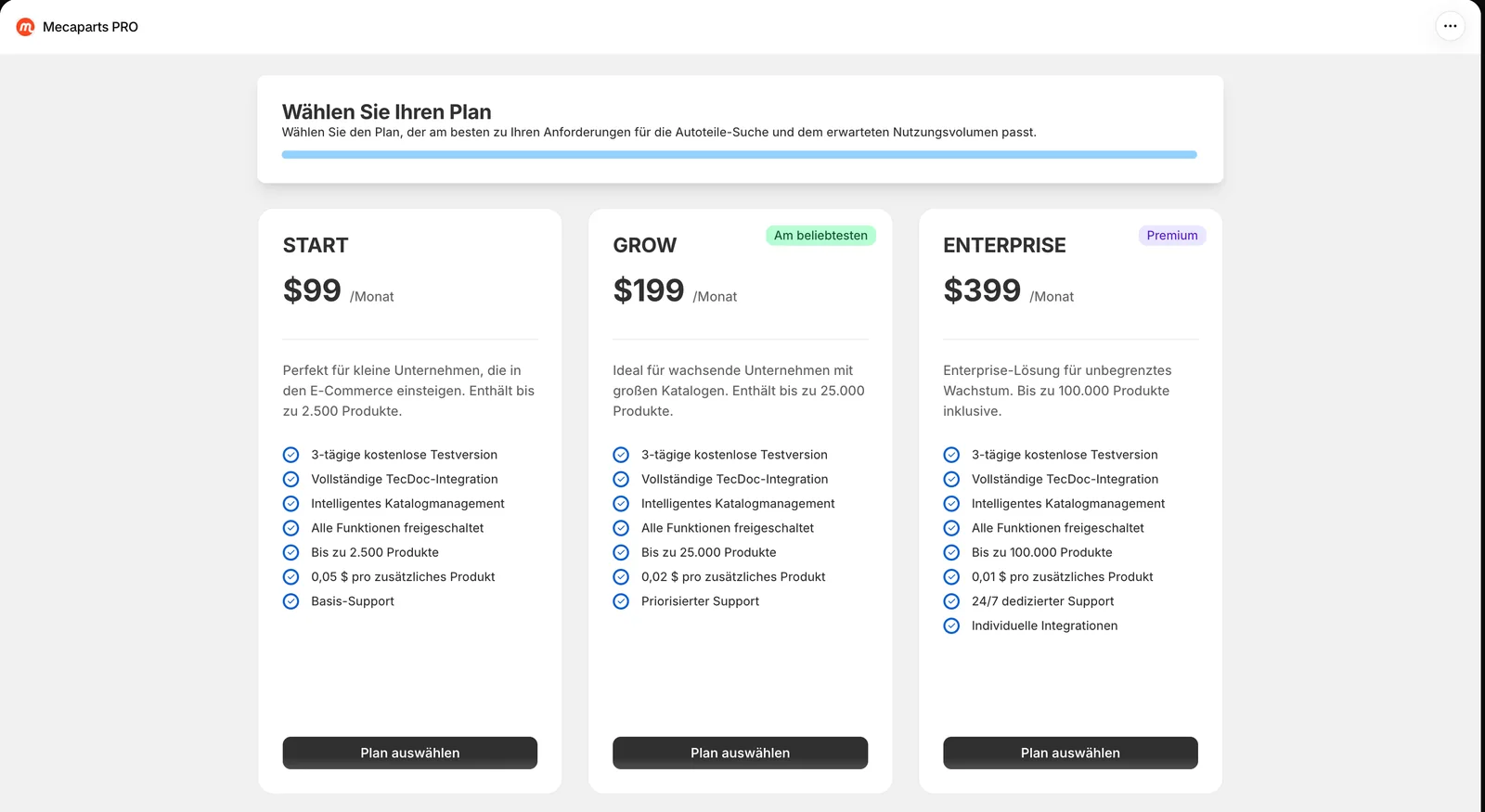
| Plan | Price | Products included | Extra products | Support |
|---|---|---|---|---|
| Start | $99/month | Up to 2,500 | $0.05 per product | Basic support |
| Grow | Up to 25,000 | $0.02 per product | Priority support | |
| Enterprise | $399/month | Up to 100,000 | $0.01 per product | 24/7 dedicated support, custom integrations |
Shopify then asks you to approve the subscription. It is billed through your Shopify invoice. See the pricing page for details.
Language and country
Mecaparts lets you adapt product data to your market:
- Language: the language of your TecDoc product data.
- Country: the country whose TecDoc data applies to your store.
If the language you need is not available, contact us. We can ask TecAlliance to activate it for you. Activation depends on TecAlliance's conditions and may involve additional costs.
Next steps
Mecaparts is installed. Now:
- Set up your store: vehicle filter and product details on your theme.
- Add products, one by one or in bulk.
- Create your categories.
- Add the Vehicle Selector to your storefront.
Need help? Write to contact@mecaparts.app.